<?xml version="1.0" encoding="utf-8"?><?xml-stylesheet type="text/xsl" href="atom.xsl"?>
<feed xmlns="http://www.w3.org/2005/Atom">
    <id>https://ai-docs.agaveapi.com/changelog</id>
    <title>Agave AI Blog</title>
    <updated>2026-07-15T00:00:00.000Z</updated>
    <generator>https://github.com/jpmonette/feed</generator>
    <link rel="alternate" href="https://ai-docs.agaveapi.com/changelog"/>
    <subtitle>Agave AI Blog</subtitle>
    <icon>https://ai-docs.agaveapi.com/img/favicon.ico</icon>
    <entry>
        <title type="html"><![CDATA[July 2026]]></title>
        <id>https://ai-docs.agaveapi.com/changelog/2026/07/15/july-2026</id>
        <link href="https://ai-docs.agaveapi.com/changelog/2026/07/15/july-2026"/>
        <updated>2026-07-15T00:00:00.000Z</updated>
        <summary type="html"><![CDATA[July's highlights: templates for building proven reports on your own data, multi-configuration reports that span several companies or accounts, Official badges for the reports your team trusts, and a batch of quality-of-life improvements.]]></summary>
        <content type="html"><![CDATA[<p>July's highlights: templates for building proven reports on your own data, multi-configuration reports that span several companies or accounts, Official badges for the reports your team trusts, and a batch of quality-of-life improvements.</p>
<h2 class="anchor anchorTargetStickyNavbar_Vzrq" id="templates">Templates<a href="https://ai-docs.agaveapi.com/changelog/2026/07/15/july-2026#templates" class="hash-link" aria-label="Direct link to Templates" title="Direct link to Templates" translate="no">​</a></h2>
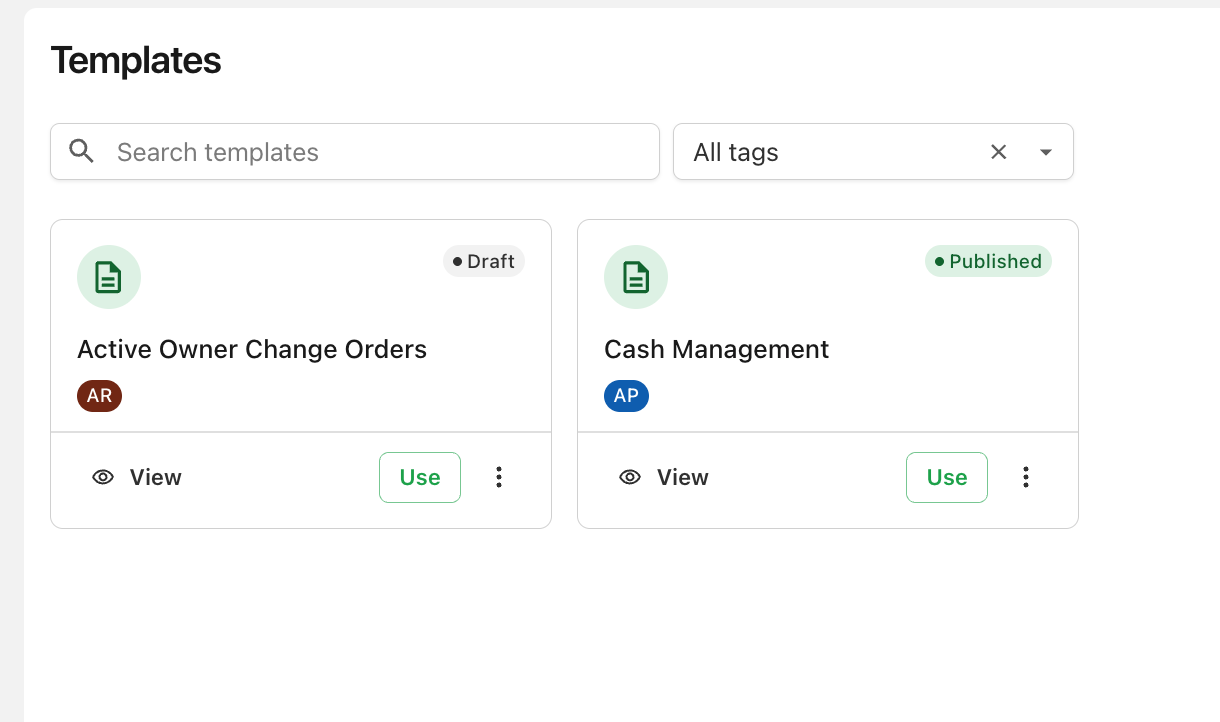
<p>Browse a library of report starters curated by Agave, preview each one's design and prompt, and build it on your own data in two clicks. Templates are organized with tags, so you can filter to the category you need. <a class="" href="https://ai-docs.agaveapi.com/docs/features/templates">Learn more →</a></p>
<p><img decoding="async" loading="lazy" alt="The Templates page with search and tag filtering" src="https://ai-docs.agaveapi.com/assets/images/templates-page-f34e2c672b778c06532040ba81ed8cbb.png" width="1220" height="722" class="img_ev3q"></p>
<h2 class="anchor anchorTargetStickyNavbar_Vzrq" id="official-reports">Official reports<a href="https://ai-docs.agaveapi.com/changelog/2026/07/15/july-2026#official-reports" class="hash-link" aria-label="Direct link to Official reports" title="Direct link to Official reports" translate="no">​</a></h2>
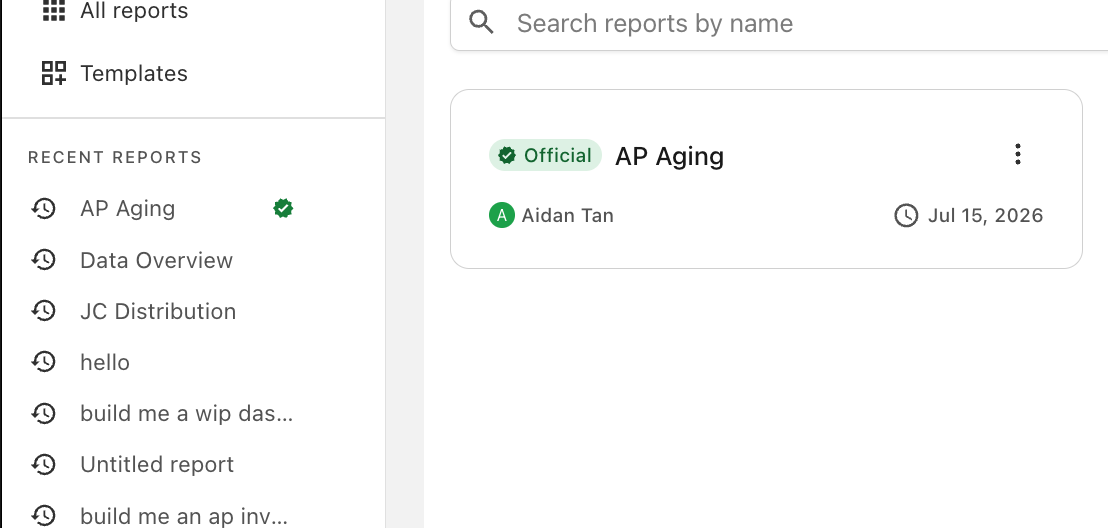
<p>Report owners can now mark a report <strong>Official</strong> — a green badge that tells your whole team "this is the trusted version." Filter All reports to just Official reports to find them fast. <a class="" href="https://ai-docs.agaveapi.com/docs/features/organizing-reports#official-reports">Learn more →</a></p>
<p><img decoding="async" loading="lazy" alt="A report with the Official badge" src="https://ai-docs.agaveapi.com/assets/images/official-f78ecf900efe243ed1b52a04f5f747bb.png" width="1108" height="528" class="img_ev3q"></p>
<h2 class="anchor anchorTargetStickyNavbar_Vzrq" id="starter-reports">Starter reports<a href="https://ai-docs.agaveapi.com/changelog/2026/07/15/july-2026#starter-reports" class="hash-link" aria-label="Direct link to Starter reports" title="Direct link to Starter reports" translate="no">​</a></h2>
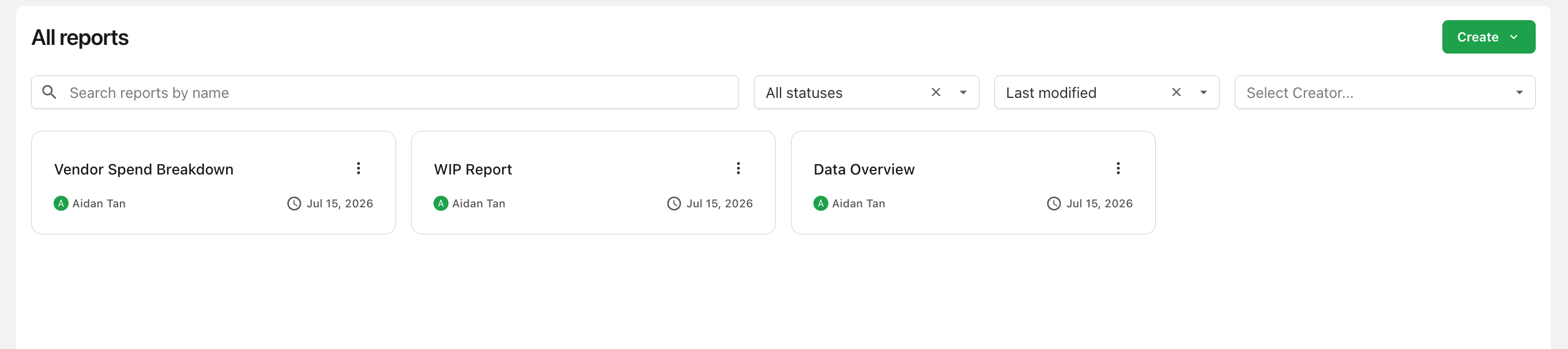
<p>New workspaces now come with ready-made starter reports, automatically added when your first AI Data configuration is set up — working examples from day one. <a class="" href="https://ai-docs.agaveapi.com/docs/features/templates#starter-reports">Learn more →</a></p>
<p><img decoding="async" loading="lazy" alt="Starter reports on the All reports page" src="https://ai-docs.agaveapi.com/assets/images/starter-reports-b798560ff7a2c397f51a6fac41ea2a35.png" width="2720" height="606" class="img_ev3q"></p>
<h2 class="anchor anchorTargetStickyNavbar_Vzrq" id="multi-configuration-reports">Multi-configuration reports<a href="https://ai-docs.agaveapi.com/changelog/2026/07/15/july-2026#multi-configuration-reports" class="hash-link" aria-label="Direct link to Multi-configuration reports" title="Direct link to Multi-configuration reports" translate="no">​</a></h2>
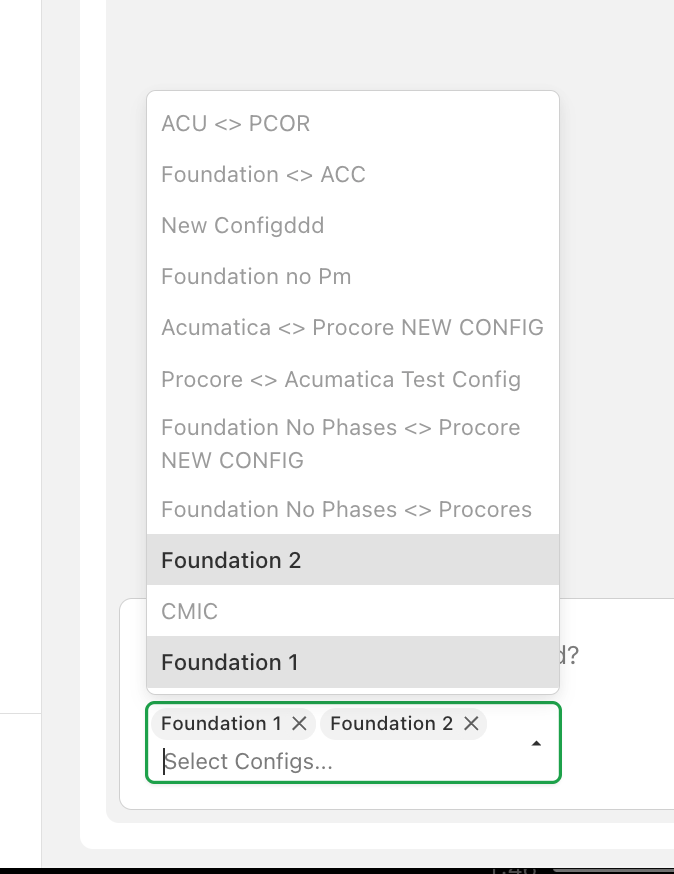
<p>A report can now connect to more than one configuration, as long as they share the same source system and product — build a single dashboard across several companies or accounts. <a class="" href="https://ai-docs.agaveapi.com/docs/features/prompting-and-editing#connect-your-data">Learn more →</a></p>
<p><img decoding="async" loading="lazy" alt="A report connected to multiple configurations" src="https://ai-docs.agaveapi.com/assets/images/multi-config-5d141239c34e85d42c6ee9432426774e.png" width="674" height="874" class="img_ev3q"></p>
<h2 class="anchor anchorTargetStickyNavbar_Vzrq" id="duplicate-reports">Duplicate reports<a href="https://ai-docs.agaveapi.com/changelog/2026/07/15/july-2026#duplicate-reports" class="hash-link" aria-label="Direct link to Duplicate reports" title="Direct link to Duplicate reports" translate="no">​</a></h2>
<p>Duplicate any report you can edit — including its full version history — to build a variation without touching the original. <a class="" href="https://ai-docs.agaveapi.com/docs/features/organizing-reports#managing-a-report">Learn more →</a></p>
<h2 class="anchor anchorTargetStickyNavbar_Vzrq" id="stop-a-running-generation">Stop a running generation<a href="https://ai-docs.agaveapi.com/changelog/2026/07/15/july-2026#stop-a-running-generation" class="hash-link" aria-label="Direct link to Stop a running generation" title="Direct link to Stop a running generation" translate="no">​</a></h2>
<p>Changed your mind mid-generation? A new <strong>Stop generating</strong> button cancels the in-progress version without affecting earlier ones. <a class="" href="https://ai-docs.agaveapi.com/docs/features/prompting-and-editing#stopping-a-generation">Learn more →</a></p>
<h2 class="anchor anchorTargetStickyNavbar_Vzrq" id="personal-customization-settings">Personal customization settings<a href="https://ai-docs.agaveapi.com/changelog/2026/07/15/july-2026#personal-customization-settings" class="hash-link" aria-label="Direct link to Personal customization settings" title="Direct link to Personal customization settings" translate="no">​</a></h2>
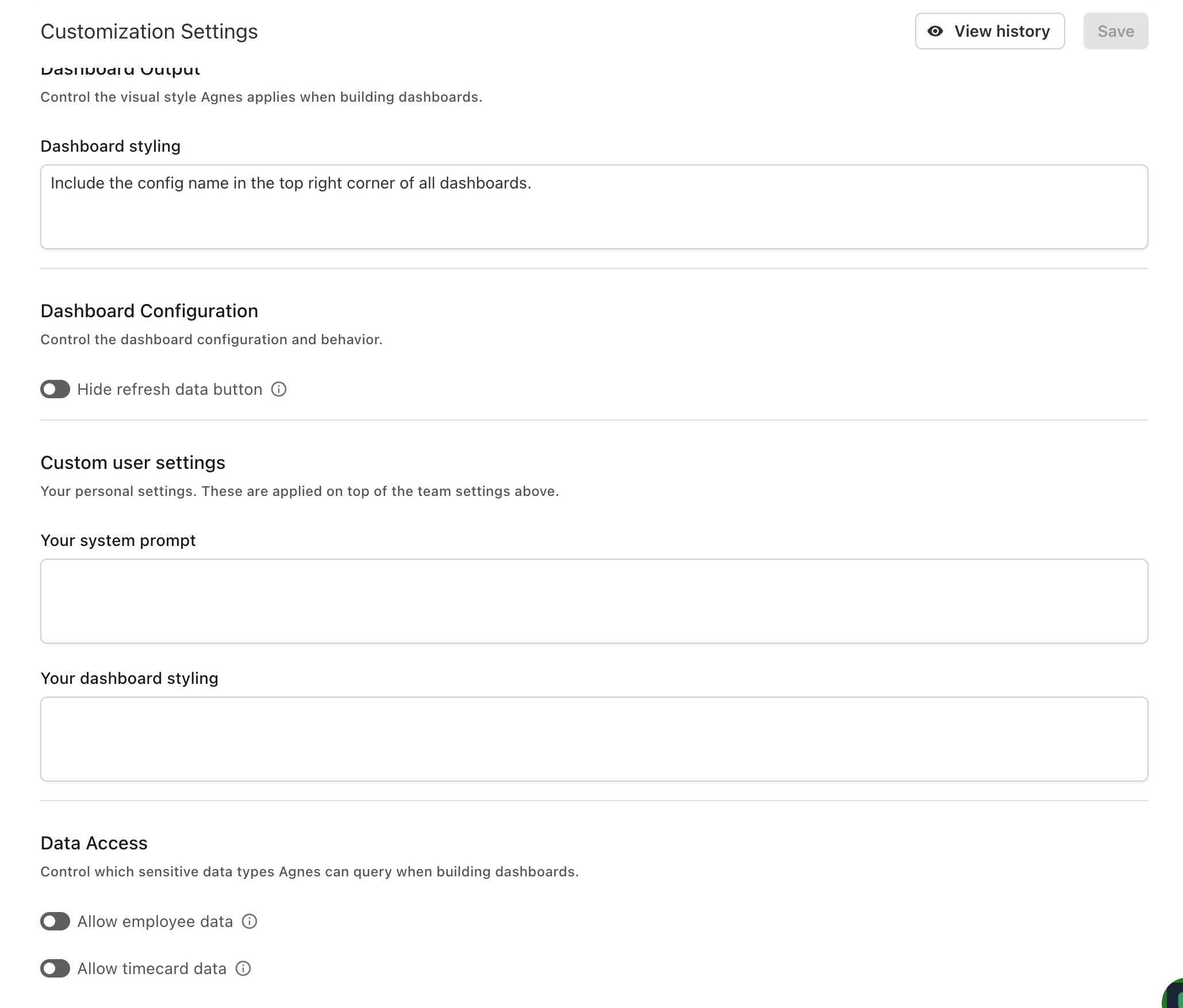
<p>In addition to team-wide settings, you can now set your <strong>own</strong> system prompt and dashboard styling, applied on top of your company's settings for reports you generate. <a class="" href="https://ai-docs.agaveapi.com/docs/getting-started/settings#customization">Learn more →</a></p>
<p><img decoding="async" loading="lazy" alt="The Custom user settings section of the Customization page" src="https://ai-docs.agaveapi.com/assets/images/custom-user-settings-d8063b249348a033b0c6d27978bafcdb.png" width="2058" height="1754" class="img_ev3q"></p>]]></content>
        <category label="new-features" term="new-features"/>
    </entry>
    <entry>
        <title type="html"><![CDATA[June 2026]]></title>
        <id>https://ai-docs.agaveapi.com/changelog/2026/06/30/june-2026</id>
        <link href="https://ai-docs.agaveapi.com/changelog/2026/06/30/june-2026"/>
        <updated>2026-06-30T00:00:00.000Z</updated>
        <summary type="html"><![CDATA[June brings file attachments, conversation memory, and team-wide customization to AI Dashboards.]]></summary>
        <content type="html"><![CDATA[<p>June brings file attachments, conversation memory, and team-wide customization to AI Dashboards.</p>
<h2 class="anchor anchorTargetStickyNavbar_Vzrq" id="file-attachments">File attachments<a href="https://ai-docs.agaveapi.com/changelog/2026/06/30/june-2026#file-attachments" class="hash-link" aria-label="Direct link to File attachments" title="Direct link to File attachments" translate="no">​</a></h2>
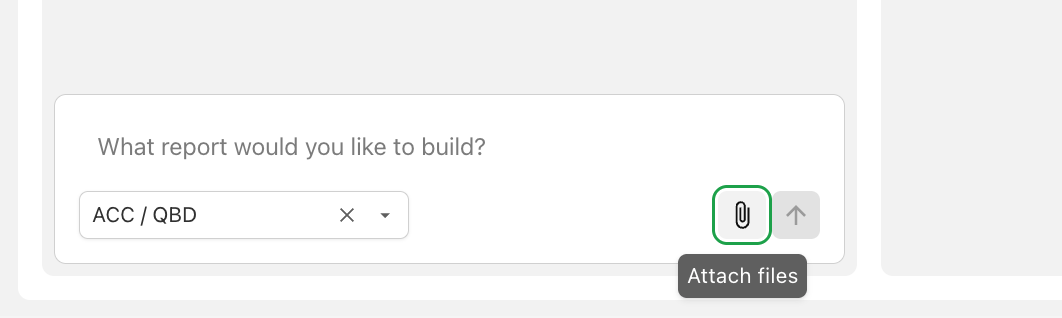
<p>Give Agnes files as context when building reports — upload a PDF of an existing report to recreate, a spreadsheet of reference data, or a screenshot of a layout you like. Supported formats include PDF, Word, Excel, CSV, and images. <a class="" href="https://ai-docs.agaveapi.com/docs/features/prompting-and-editing#attaching-files">Learn more →</a></p>
<p><img decoding="async" loading="lazy" alt="The Attach files dialog" src="https://ai-docs.agaveapi.com/assets/images/attach-files-8233c5646d0e699ab39f7cd6ea22ee95.png" width="1062" height="318" class="img_ev3q"></p>
<h2 class="anchor anchorTargetStickyNavbar_Vzrq" id="conversation-memory">Conversation memory<a href="https://ai-docs.agaveapi.com/changelog/2026/06/30/june-2026#conversation-memory" class="hash-link" aria-label="Direct link to Conversation memory" title="Direct link to Conversation memory" translate="no">​</a></h2>
<p>Agnes now remembers the earlier messages in a report's conversation, so follow-ups like "use the same grouping as before" work naturally.</p>
<h2 class="anchor anchorTargetStickyNavbar_Vzrq" id="team-customization-settings">Team customization settings<a href="https://ai-docs.agaveapi.com/changelog/2026/06/30/june-2026#team-customization-settings" class="hash-link" aria-label="Direct link to Team customization settings" title="Direct link to Team customization settings" translate="no">​</a></h2>
<p>Shape how Agnes works for your whole company from <strong>Settings → Customization</strong>:</p>
<ul>
<li class="">A <strong>system prompt</strong> that teaches Agnes your terminology and business rules (job numbering conventions, status indicators, and more).</li>
<li class=""><strong>Dashboard styling</strong> preferences so every generated report matches your brand.</li>
</ul>
<p><a class="" href="https://ai-docs.agaveapi.com/docs/getting-started/settings#customization">Learn more →</a></p>
<h2 class="anchor anchorTargetStickyNavbar_Vzrq" id="new-data-connections">New data connections<a href="https://ai-docs.agaveapi.com/changelog/2026/06/30/june-2026#new-data-connections" class="hash-link" aria-label="Direct link to New data connections" title="Direct link to New data connections" translate="no">​</a></h2>
<p>Reports can now be built on dedicated AI Data configurations, alongside existing ERP Sync configurations — with per-record-type controls over which data Agnes can use. <a class="" href="https://ai-docs.agaveapi.com/docs/getting-started/settings#configuration">Learn more →</a></p>]]></content>
        <category label="new-features" term="new-features"/>
    </entry>
    <entry>
        <title type="html"><![CDATA[May 2026: Introducing AI Dashboards]]></title>
        <id>https://ai-docs.agaveapi.com/changelog/2026/05/28/may-2026</id>
        <link href="https://ai-docs.agaveapi.com/changelog/2026/05/28/may-2026"/>
        <updated>2026-05-28T00:00:00.000Z</updated>
        <summary type="html"><![CDATA[Agave AI Dashboards is here. Describe the report you need in plain language, and Agnes — Agave's AI — builds an interactive dashboard from your live construction data.]]></summary>
        <content type="html"><![CDATA[<p>Agave AI Dashboards is here. Describe the report you need in plain language, and Agnes — Agave's AI — builds an interactive dashboard from your live construction data.</p>
<h2 class="anchor anchorTargetStickyNavbar_Vzrq" id="build-reports-by-prompting-agnes">Build reports by prompting Agnes<a href="https://ai-docs.agaveapi.com/changelog/2026/05/28/may-2026#build-reports-by-prompting-agnes" class="hash-link" aria-label="Direct link to Build reports by prompting Agnes" title="Direct link to Build reports by prompting Agnes" translate="no">​</a></h2>
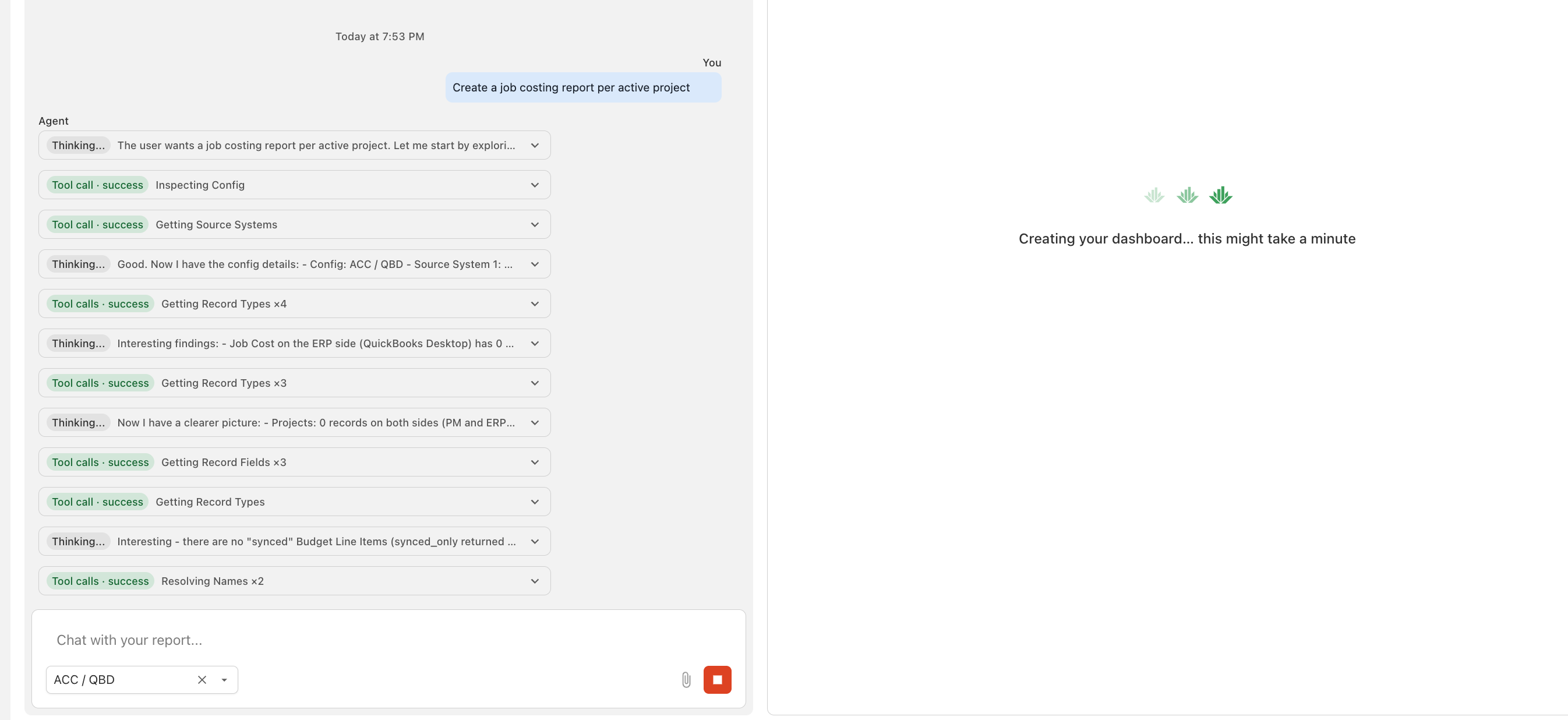
<p>Create a report, describe what you want ("Budgets vs Actuals for each Job"), and watch Agnes plan, query your data, and generate an interactive dashboard — with its reasoning and each data step shown live as it works. Refine the result by continuing the conversation. <a class="" href="https://ai-docs.agaveapi.com/docs/features/prompting-and-editing">Learn more →</a></p>
<p><img decoding="async" loading="lazy" alt="A report generating, with Agnes&amp;#39;s progress streaming in the chat" src="https://ai-docs.agaveapi.com/assets/images/generation-progress-8b68b0f1b3a393a5b24be0984d84b5aa.png" width="2692" height="1236" class="img_ev3q"></p>
<h2 class="anchor anchorTargetStickyNavbar_Vzrq" id="version-history">Version history<a href="https://ai-docs.agaveapi.com/changelog/2026/05/28/may-2026#version-history" class="hash-link" aria-label="Direct link to Version history" title="Direct link to Version history" translate="no">​</a></h2>
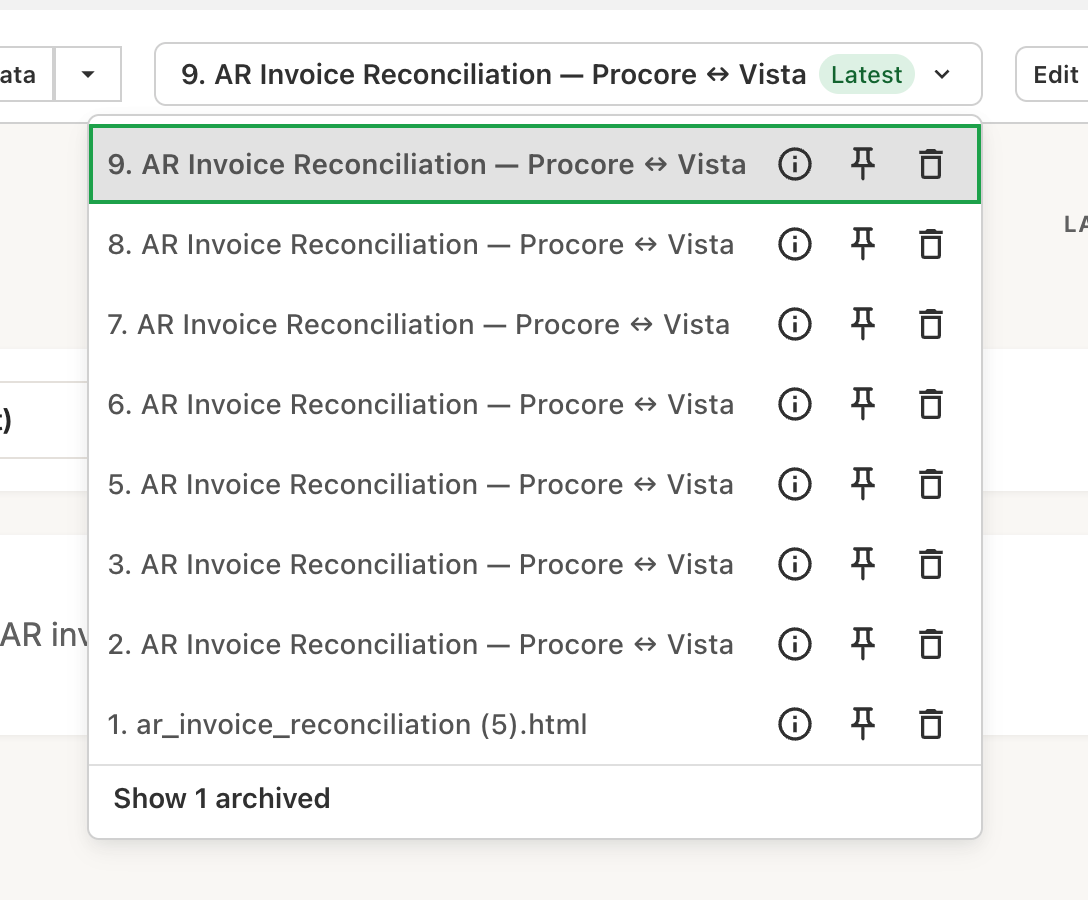
<p>Every edit creates a new version, so nothing is lost by iterating. Compare versions, archive the ones you don't need, and pin a <strong>default</strong> version to control exactly what your team sees while you keep improving the report. <a class="" href="https://ai-docs.agaveapi.com/docs/features/versions">Learn more →</a></p>
<p><img decoding="async" loading="lazy" alt="The version dropdown with Default and Latest chips" src="https://ai-docs.agaveapi.com/assets/images/version-dropdown-9f4676713605eef2fe31c0f4303f5afe.png" width="1088" height="900" class="img_ev3q"></p>
<h2 class="anchor anchorTargetStickyNavbar_Vzrq" id="sharing--permissions">Sharing &amp; permissions<a href="https://ai-docs.agaveapi.com/changelog/2026/05/28/may-2026#sharing--permissions" class="hash-link" aria-label="Direct link to Sharing &amp; permissions" title="Direct link to Sharing &amp; permissions" translate="no">​</a></h2>
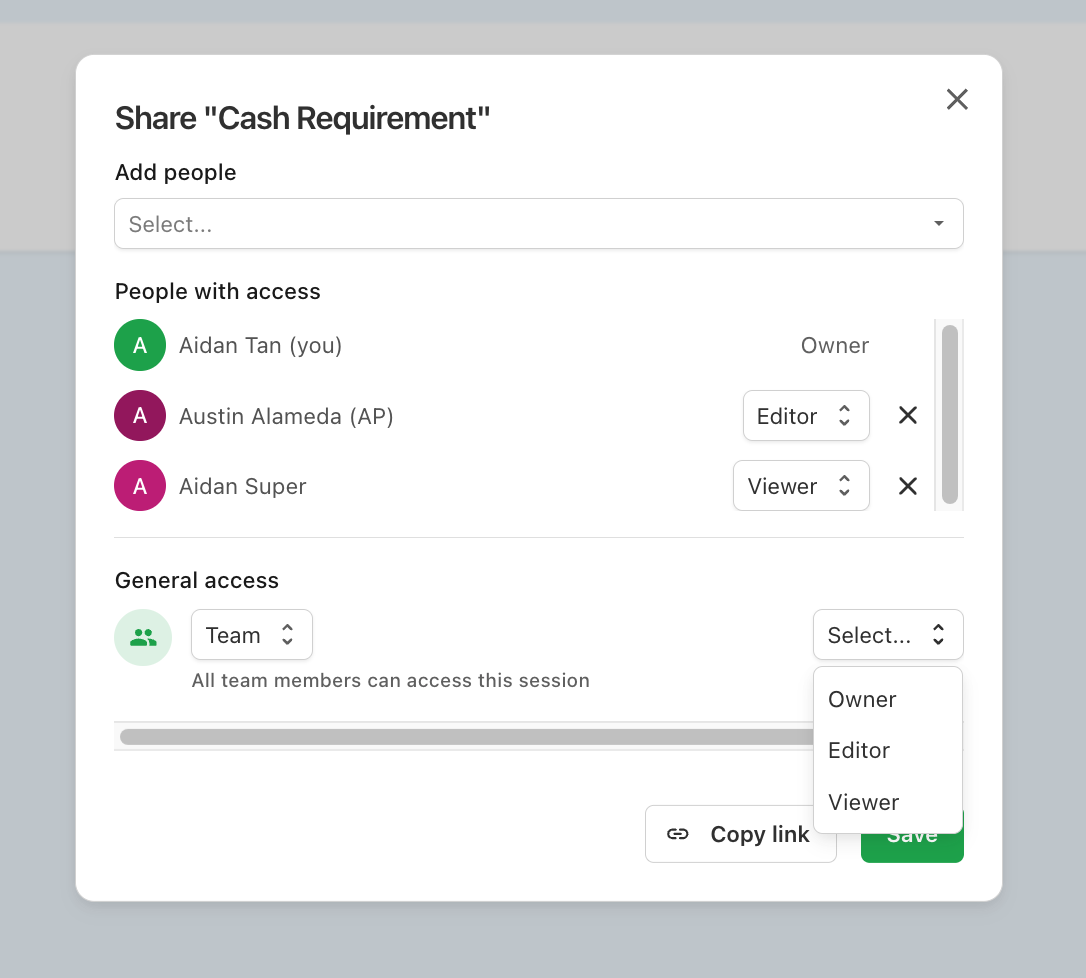
<p>Share reports with specific teammates or your whole team, with <strong>Owner</strong>, <strong>Editor</strong>, and <strong>Viewer</strong> roles controlling who can edit and who can only view. <a class="" href="https://ai-docs.agaveapi.com/docs/features/sharing-and-permissions">Learn more →</a></p>
<p><img decoding="async" loading="lazy" alt="The Share dialog with people, roles, and General access" src="https://ai-docs.agaveapi.com/assets/images/share-modal-01ecbe14ff8cc23b8735afe2f75743b5.png" width="1086" height="978" class="img_ev3q"></p>
<h2 class="anchor anchorTargetStickyNavbar_Vzrq" id="folders-and-starring">Folders and starring<a href="https://ai-docs.agaveapi.com/changelog/2026/05/28/may-2026#folders-and-starring" class="hash-link" aria-label="Direct link to Folders and starring" title="Direct link to Folders and starring" translate="no">​</a></h2>
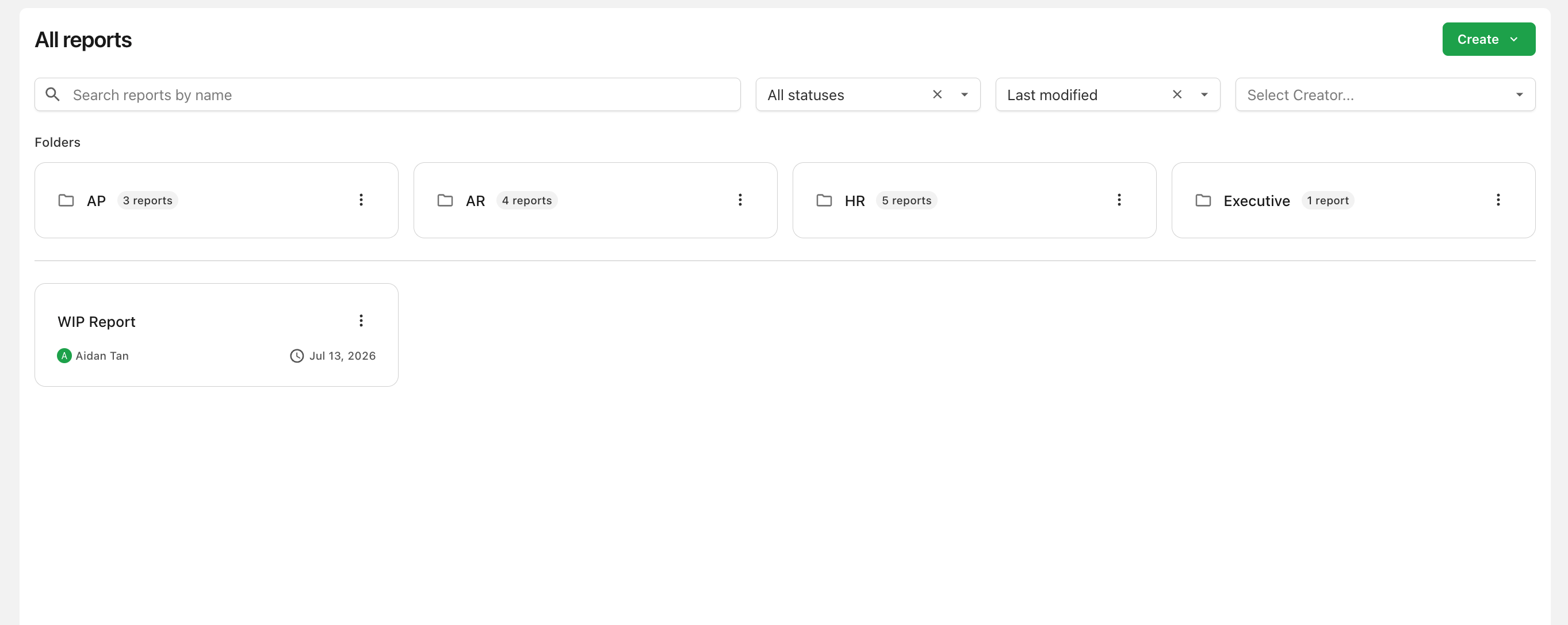
<p>Organize your team's reports into shared folders, and star the reports you use most for quick access from your personal <strong>Starred</strong> list. <a class="" href="https://ai-docs.agaveapi.com/docs/features/organizing-reports">Learn more →</a></p>
<p><img decoding="async" loading="lazy" alt="The All reports page with folders and report cards" src="https://ai-docs.agaveapi.com/assets/images/all-reports-ef2165b9891d79b200d378773de97b7f.png" width="2726" height="1086" class="img_ev3q"></p>]]></content>
        <category label="new-features" term="new-features"/>
    </entry>
</feed>