Record-type permissions
Roles can now be granted access to individual record types, rather than to your data as a whole.
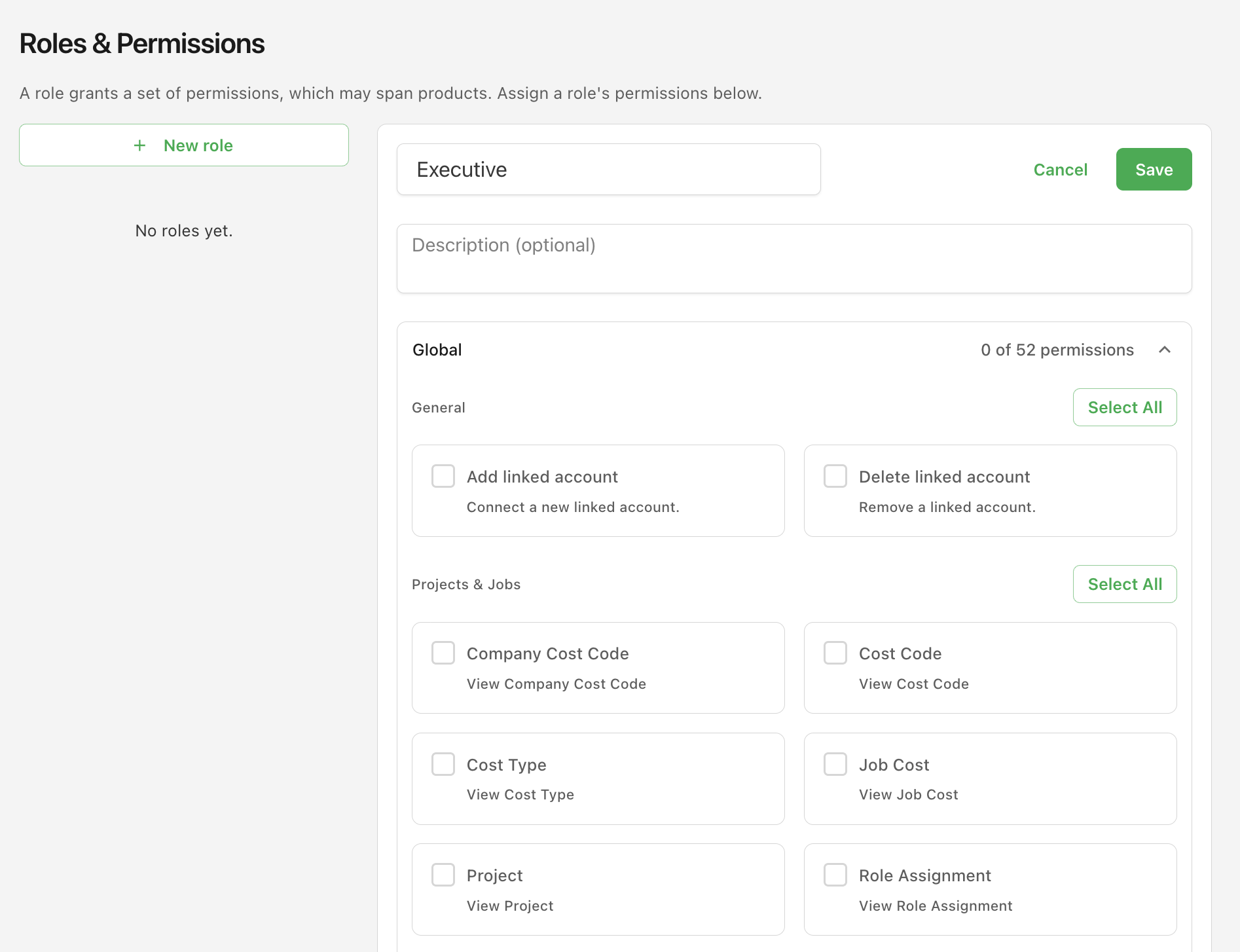
Choosing record types per role
Access to your data used to come down to two blanket toggles, for employee and timecard data. You can now permit or withhold each record type individually — AP Invoices, Projects, Ledger Accounts, Employees, Timecard Entries, and around fifty others.
Ask your Agave Account Manager to turn on Roles & Permissions to use this.
Permissions are set per role in Roles & Permissions, and they're global: a role's record-type access applies everywhere Agave reads your data, not just in reports. When a record type isn't permitted, Agnes won't query it, and the report will say the data isn't available.
Narrowing to specific records
Access can now be narrowed further still, beyond the record type. Your Agave Account Manager can limit a role to specific records within a type it's allowed to see — for example, restricting a regional team's role to the Projects belonging to their department, type, or location.
If someone holds several roles, their access is the union of those roles' limits. Adding a role can only ever widen what a person can see, never take access away.