Send reports on a schedule
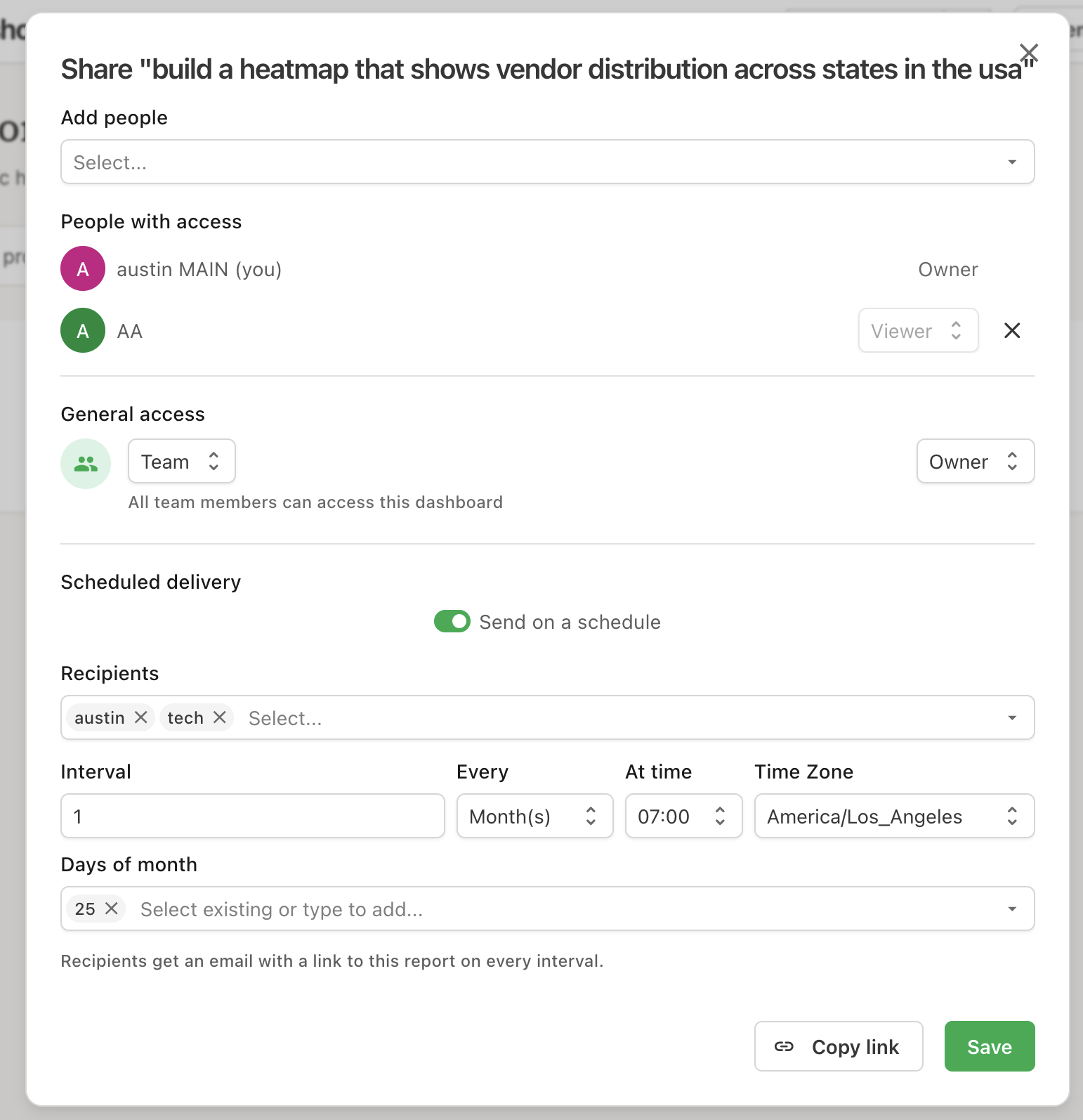
The Share dialog can now email a report to your teammates on a recurring schedule — hourly, daily, weekly, or monthly.
Turn on Send on a schedule under Scheduled delivery, choose recipients, and set the interval: every N hours, days, weeks, or months, at a time of day in the time zone you pick. Weekly schedules take a set of weekdays, monthly schedules a set of days of the month.
Recipients get an email announcing the report is ready with a button that opens it, so they always see the report's current state rather than a snapshot. The picker only offers people who can already open the report — including yourself — and access is re-checked on every send, so a teammate who has lost access stops receiving it.
Reopen the Share dialog any time to change the recipients or the interval, or switch the toggle off to stop delivery. Anyone who can share the report can manage its schedule.