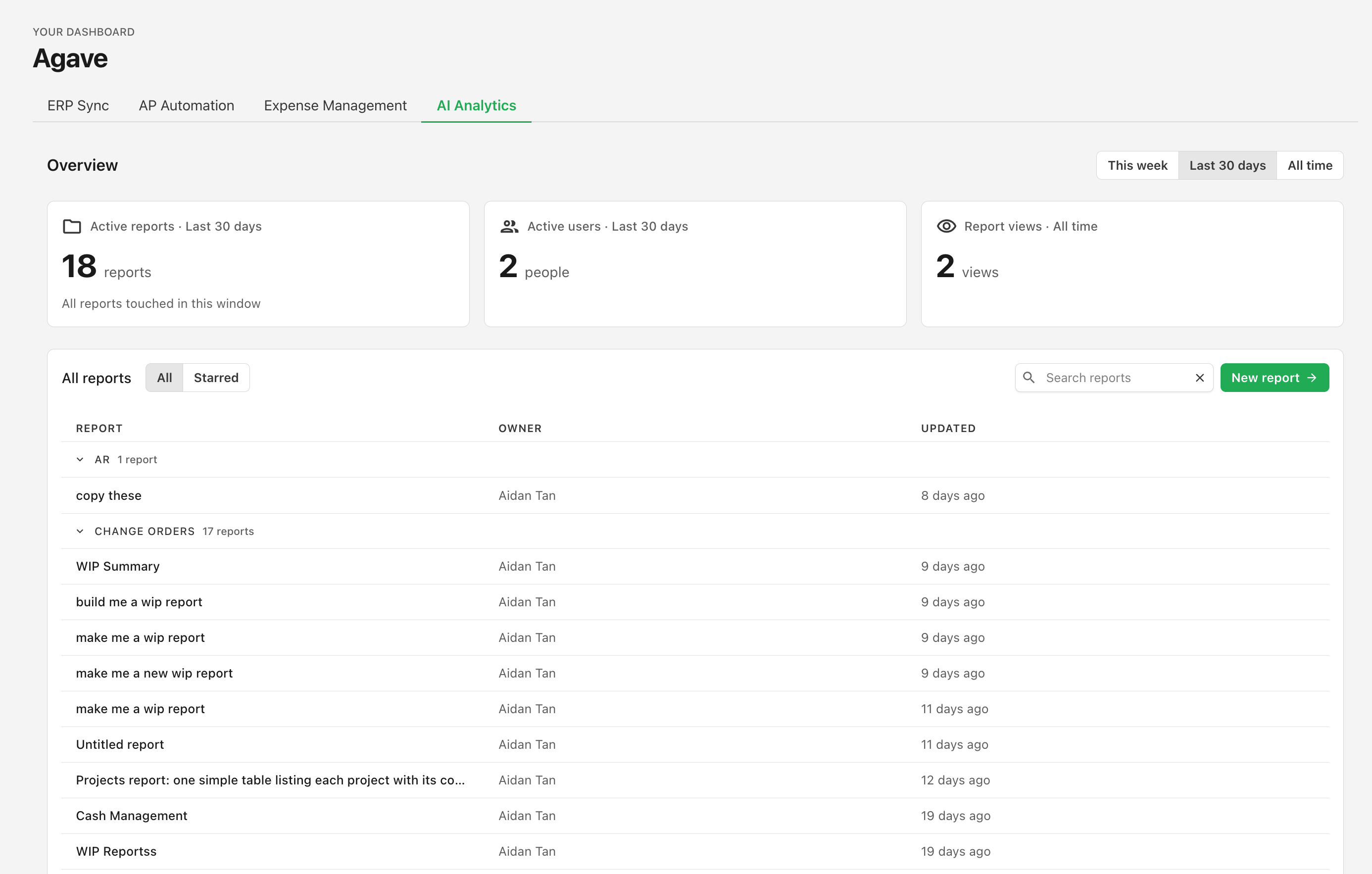
AI Analytics in the admin dashboard
A new AI Analytics tab in the admin dashboard shows how your team is actually using Agave AI.
The tab opens with three figures at the top:
- Active reports — reports prompted during the period you select.
- Active users — distinct teammates who prompted a report in that period.
- Report views — how many times reports have been opened, all time.
Use the range toggle to switch periods; every period is loaded up front, so switching is instant.
Below the overview is every report your team has, grouped by folder and showing each report's owner and when it was last updated, with each name linking straight through. The list is ordered by what you viewed most recently, so the reports you're actively working in rise to the top and stale ones sink — useful before a cleanup, or when deciding which reports deserve to be made Official. Search by name, or switch to Starred to see only the ones you've starred.
The tab is available to anyone with view access to Agave AI, including admins whose team only uses AI Analytics and no other Agave product. Learn more →