Editable Fields
Your reports can do more than display data from your connected systems. You can also add fields that you and your team fill in yourselves, such as forecasts, notes, or adjustments. Anything entered in these fields is saved with the report, so it's still there the next time anyone opens it.
How do I add an editable field?
Just ask Agave AI. In the report's chat, describe the field you want, what it should start out as, and that people should be able to change it. Agave AI will add the field to the report and take care of saving the information for you.
For example:
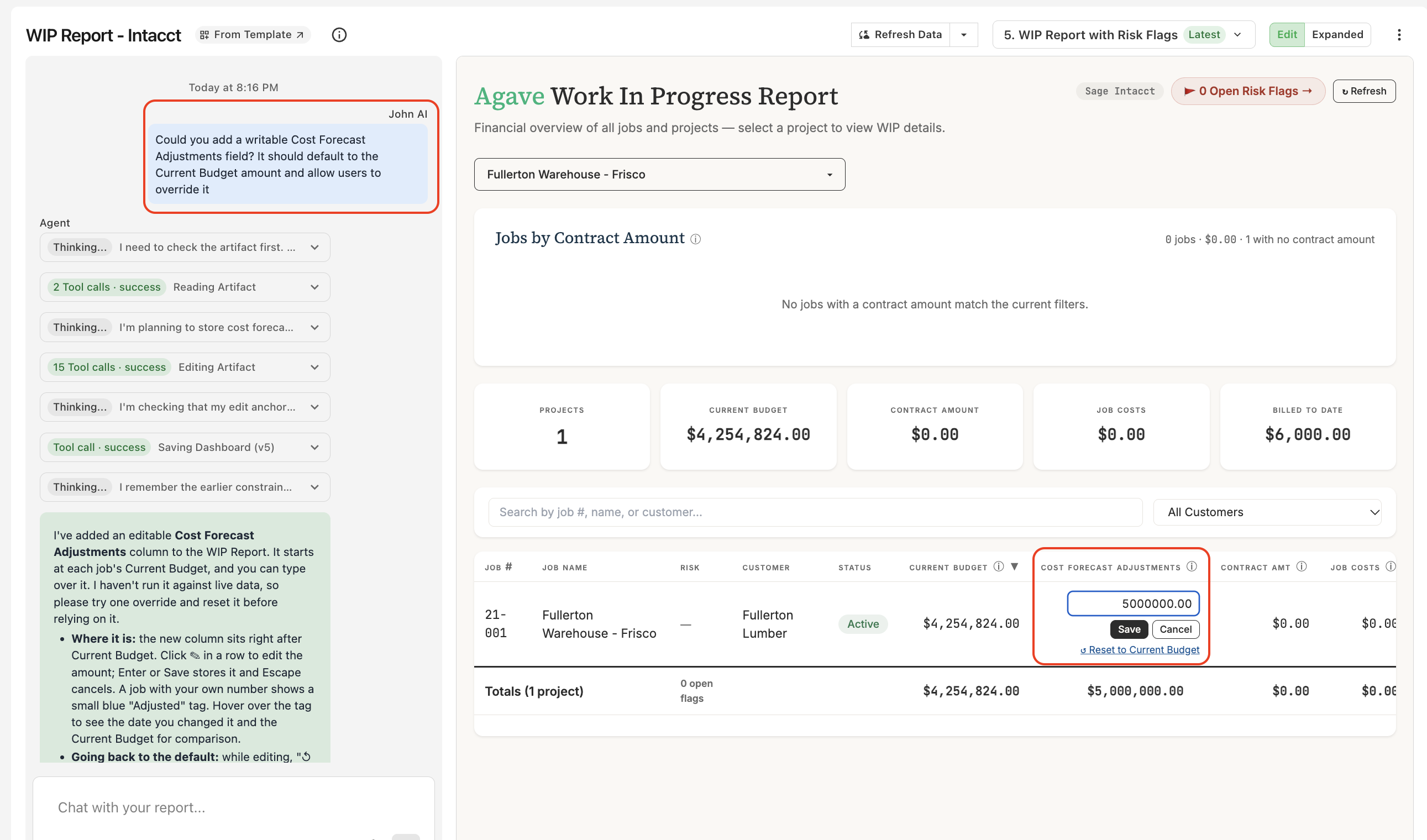
Could you add a writable Cost Forecast Adjustments field? It should default to the Current Budget amount and allow users to override it
Agave AI adds a Cost Forecast Adjustments column to the report. Each job starts out showing its Current Budget, and anyone with edit access can type in a different amount and click Save.
How do I edit a value?
- Click the field you want to change.
- Type the new value.
- Click Save (or press Enter) to keep it, or Cancel (or press Escape) to leave it as it was.
If your field has a default, like the Current Budget in the example above, you'll also see an option to reset it back to that default.
Will my changes stick?
Yes. Saved values stay with the report going forward. They're kept when you refresh the report's data and when you or your teammates come back to it later.
Tips for asking
- Name the field you want, like "Cost Forecast Adjustments" or "PM Notes."
- Say what it should start as. It can be blank, a fixed value, or copied from another column (for example, "default to the Current Budget").
- Say that people should be able to change it. Words like "writable," "editable," or "allow users to override it" all work.
- Ask for extras if you want them. For example, you can ask Agave AI to show who changed a value and when, or to include the new field in the report's totals.