Versions
Every report keeps a full history of versions, numbered from 1. You can compare, restore, and pin versions — nothing you generate is ever lost by iterating.
What creates a version
A new version is created by:
- Your first prompt (version 1),
- Every follow-up prompt that edits the report, and
- Importing an HTML file.
These do not create versions: questions answered in chat, renaming, sharing, starring, marking official, and moving a report between folders.
The version dropdown
Editors and Owners see a version dropdown in the report header. The button shows the current version, with chips for Latest (the newest completed version) and Default (a pinned version, if set).
Each version row shows its status — Default, Pending, Failed, or Archived — plus three actions:
- Info — when the version was created, by whom, and "Forked from v2" (for example) if it branched from an older version.
- Pin — Make default version / Clear default (return to latest).
- Archive — Archive / Unarchive.
A footer toggle shows or hides archived versions ("Show N archived").
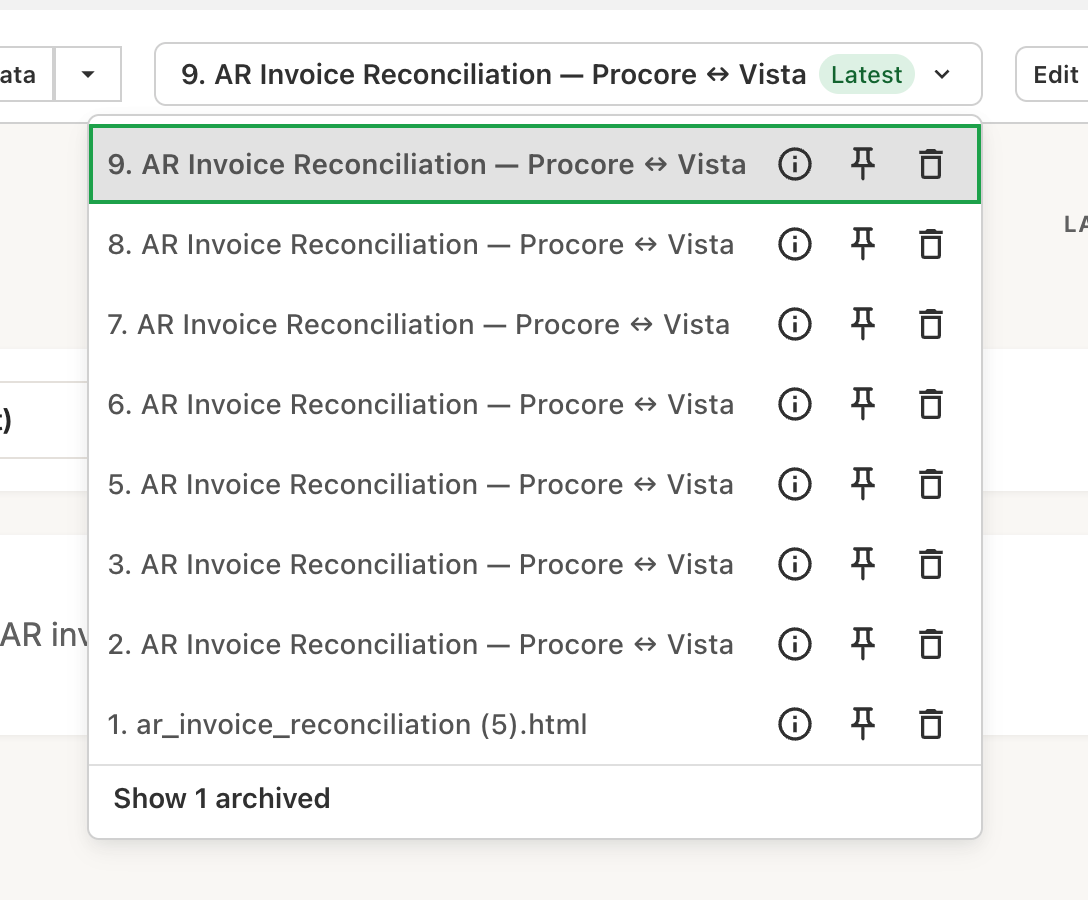
The selected version is reflected in the URL as ?version=N, so you can link teammates directly to a particular version.
Default version — what your team sees
By default, everyone lands on the latest completed version. If you pin a version as the default, that's what people with Viewer access see when they open the report — useful when you want to keep sharing a version you trust while you iterate on new ones.
Only completed, non-archived versions can be made the default. Editors and Owners always land on the latest completed version so they can see work in progress.
Going back to an older version
There's no separate "revert" button — instead, older versions stay fully editable:
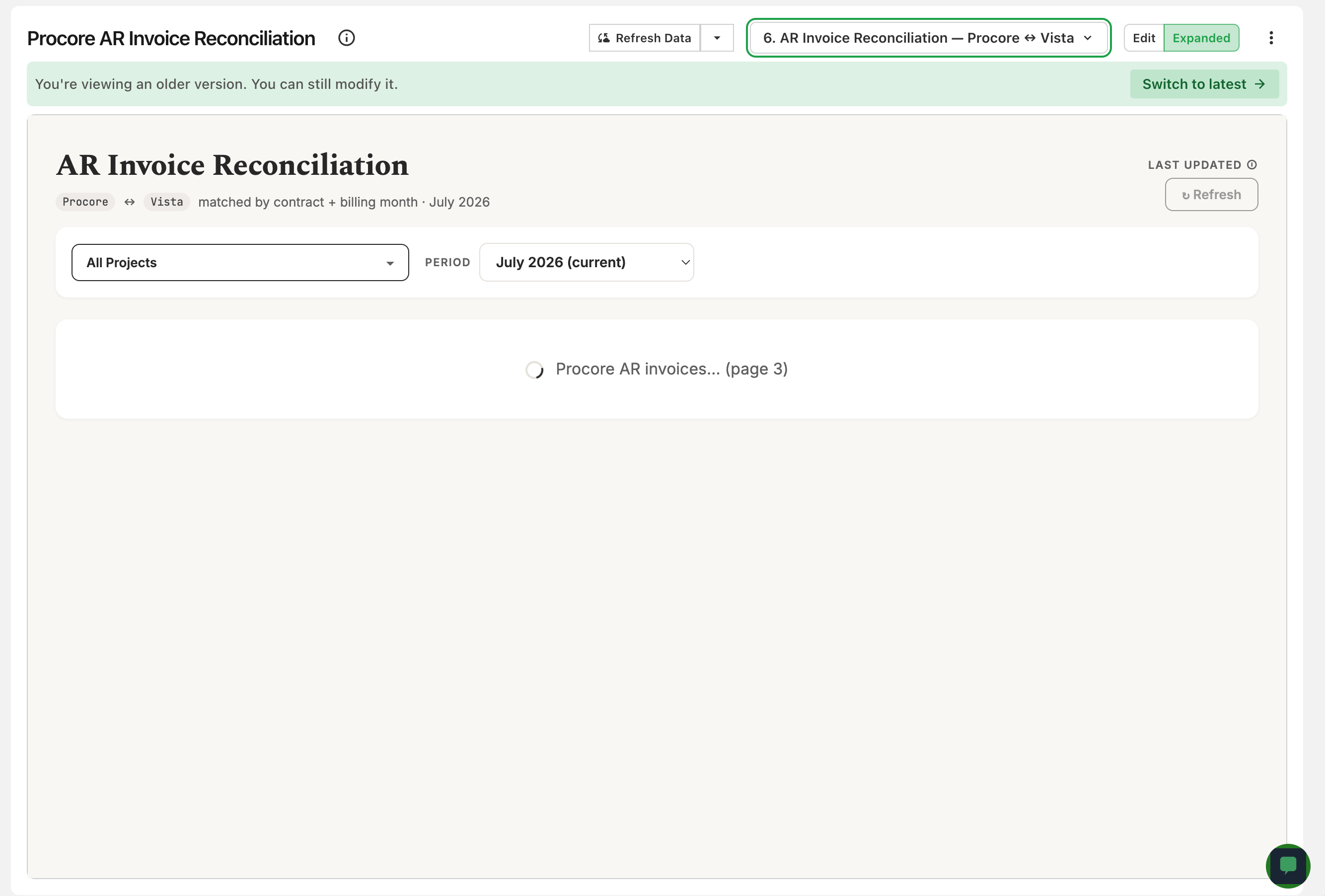
- Select an older version from the dropdown. A banner appears: "You're viewing an older version. You can still modify it." (with a Switch to latest button).
- To branch from it, just prompt while viewing it. The new version records which version it was forked from, and the chat shows an Editing indicator naming the version you're building on.
- To make an older version what your team sees, pin it as the default.
Archiving versions
Archiving tidies up the version list without losing anything — archived versions are hidden by default and can be unarchived at any time. Individual versions can't be permanently deleted. Two rules apply:
- You can't archive the only remaining version.
- You can't archive the default version — clear the default first.
Deleting a report (Owner only) permanently removes all of its versions, chat history, and sharing settings. See Organizing Reports → Managing a report.