Usage Analytics
The AI Analytics tab on your admin dashboard shows how your team is using Agave AI — how much is being built, who's building it, and which reports people actually open. It's the place to look before a cleanup, when deciding which reports deserve the Official badge, or when reviewing whether your team is getting value from its seats.
Who can see it
Anyone with view access to Agave AI, including admins on teams that use AI Analytics and no other Agave product. The tab lists every report on the team, so it gives admins a complete picture even of reports that haven't been shared with them.
Overview
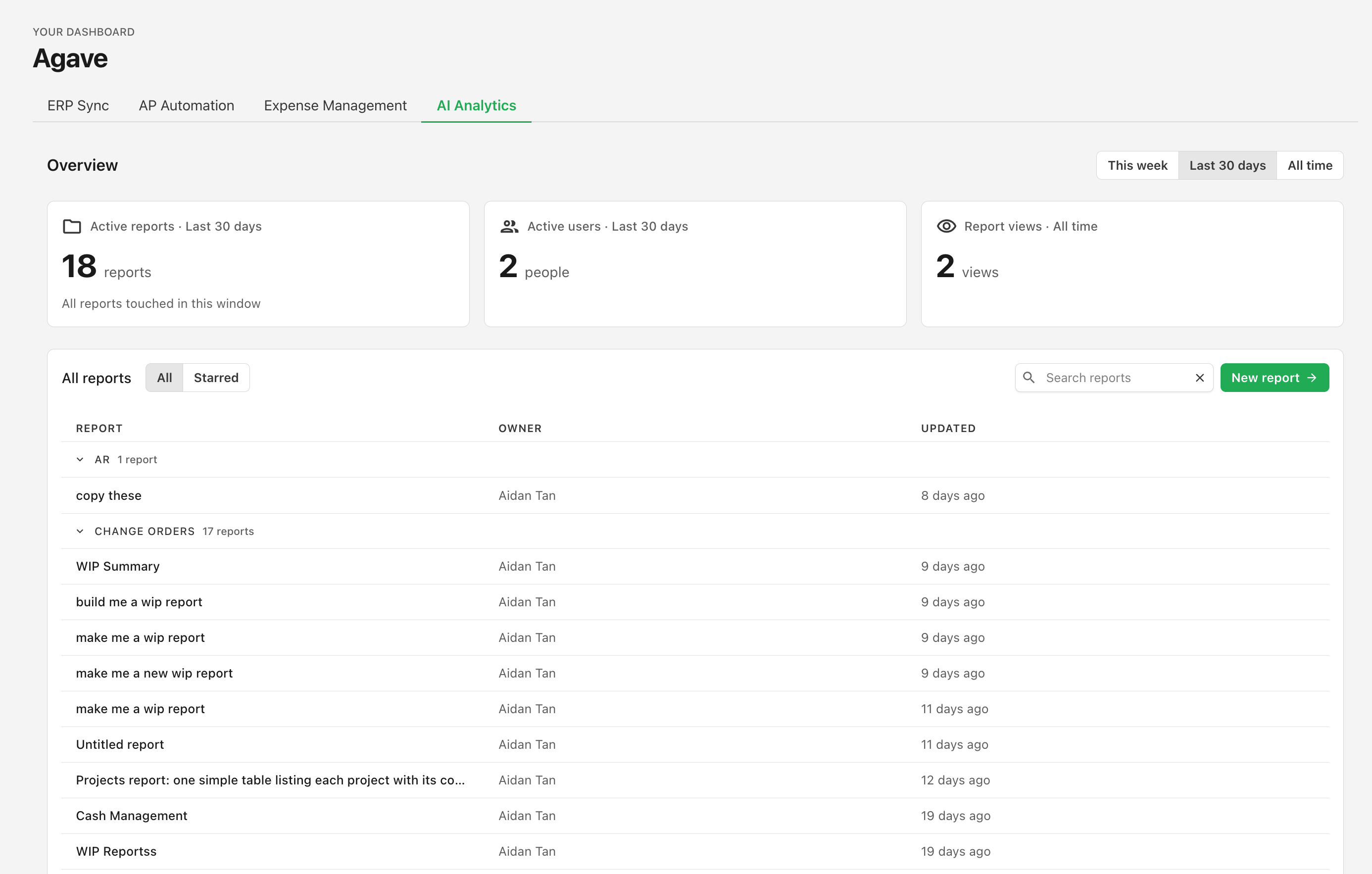
Three figures sit at the top of the tab:
- Active reports — reports prompted during the selected period.
- Active users — how many different teammates prompted a report in that period.
- Report views — how many times reports have been opened.
Use the toggle in the top right to switch the period between This week, Last 30 days, and All time. Every period is loaded at once, so switching is instant.
Active reports and active users follow the period you select. Report views is a running total since view tracking began, and doesn't change with the toggle — the card labels it All time so the difference is clear.
The report list
Below the overview is every report on the team, grouped by the folder it lives in, showing each report's owner and when it was last updated. Report names link straight through to the report itself.
- Search narrows the list by report name.
- Starred switches from all reports to just the ones you've starred.
- Reports are ordered by when you last viewed them, so the ones you're actively working in appear first and stale ones sink to the bottom.
If the tab looks empty
Until someone on your team builds a report, the tab shows a preview of the overview cards with a New report button rather than real figures. Build a report and the tab fills in.